How to Perform a Z-Test in Excel
By William DavisOctober 19, 2026
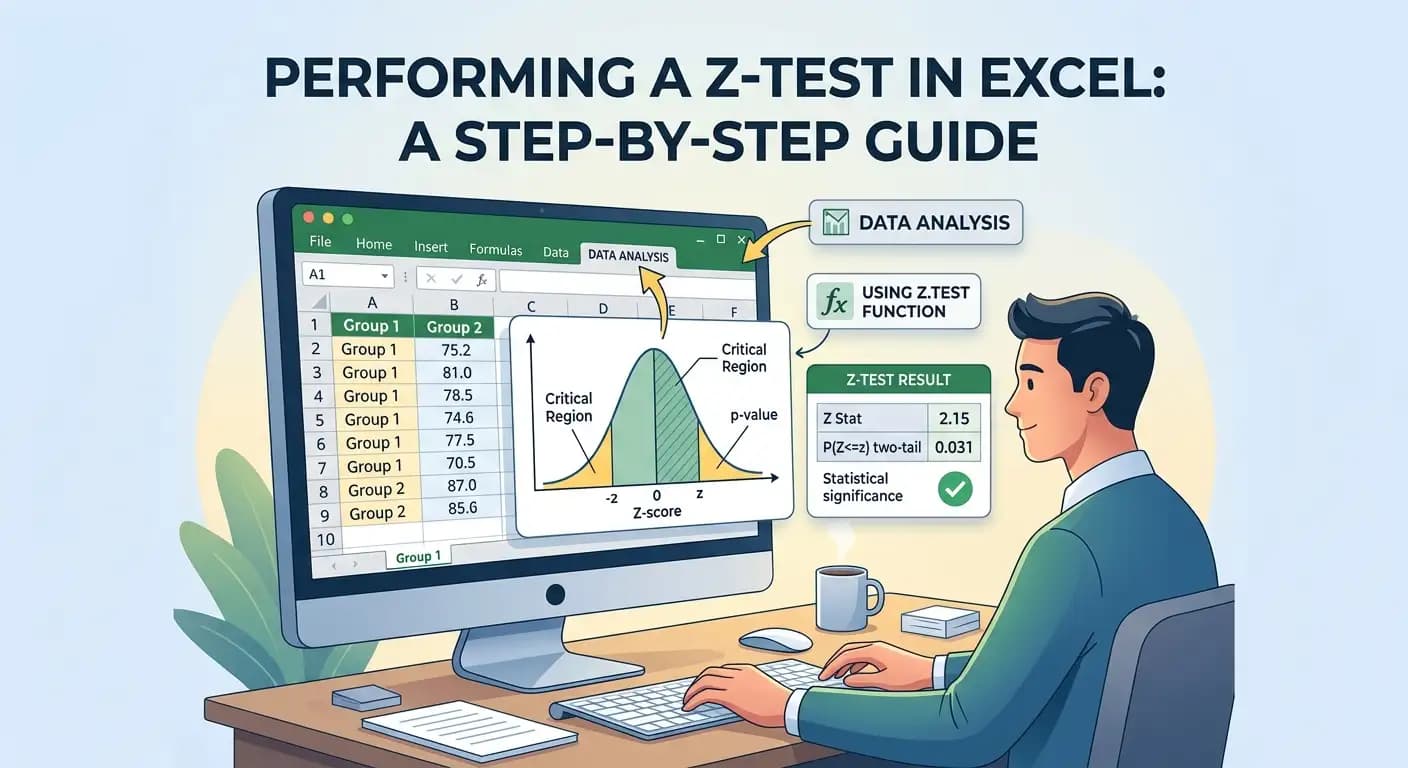
Excel makes statistical analysis easier by allowing you to calculate test statistics and p-values without performing every calculation by hand. A Z-test helps you assess whether sample results provide enough evidence to question an assumed population mean.
You can perform a one-sample Z-test with Excel's built-in Z.TEST function. Excel also includes a separate Analysis ToolPak option for comparing two population means when their variances are known.
This guide walks through both methods, explains the formulas, and shows how to interpret the results and avoid common mistakes.
What Is a Z-Test?
A Z-test evaluates a claim about a population mean or, in other forms, a difference between population means or proportions. For example, if a company claims its batteries last an average of 80 hours, a Z-test can help assess whether a sample provides evidence that the true average differs from 80 hours.
A Z-test produces a Z-score and a p-value. The Z-score measures how far the observed result is from the value expected under the null hypothesis, in standard error units. The p-value measures how unusual the result would be if the null hypothesis and test assumptions were true.
When Should You Use a Z-Test in Excel?
For a traditional one-sample Z-test of a population mean, the population standard deviation must be known. The observations must also meet the test's independence and distribution assumptions.
A Z-test may be suitable when you:
- Compare a sample mean with a specified population mean and know the population standard deviation.
- Compare two independent population means and know both population variances.
- Test a proportion or a difference between proportions using an appropriate Z-test for proportions.
The Z.TEST worksheet function tests one sample mean against a hypothesised population mean. It is not a general-purpose function for every type of Z-test. If the population standard deviation is unknown, a one-sample t-test is generally more appropriate. For two independent means with unknown population variances, a two-sample t-test is often a better choice.
Method 1: Perform a One-Sample Z-Test in Excel
Excel's Z.TEST function returns an upper-tail probability. Its arguments are the sample data, the hypothesised mean, and an optional known population standard deviation.
Step 1: Enter Your Data
Suppose a company claims that its batteries last an average of 80 hours. Record this sample of 10 battery lifetimes in cells A2 through A11:
| Cell | Battery life (hours) |
|---|---|
| A2 | 78 |
| A3 | 82 |
| A4 | 85 |
| A5 | 88 |
| A6 | 87 |
| A7 | 80 |
| A8 | 84 |
| A9 | 86 |
| A10 | 83 |
| A11 | 87 |
For this example, assume the population standard deviation is known to be 10 hours. These values are illustrative.
Step 2: Write the Hypotheses
We want to test whether the population mean differs from 80 hours:
- Null hypothesis (H₀): μ = 80
- Alternative hypothesis (H₁): μ ≠ 80
This is a two-tailed test because the average could be higher or lower than the claim. Choose the alternative hypothesis before examining the results. Don't switch to a one-tailed test just because the sample mean points in one direction.
Step 3: Calculate the Sample Mean
In an empty cell, enter:
=AVERAGE(A2:A11)
Excel returns a sample mean of 84 hours. That is four hours above the claimed mean, but the difference alone does not show whether the evidence is statistically significant.
Step 4: Calculate the P-Value
Enter this formula in another empty cell:
=Z.TEST(A2:A11,80,10)
Excel returns approximately 0.10295. The arguments are the data range, hypothesised mean, and known population standard deviation. This is an upper-tail probability, not the two-tailed p-value needed for our hypothesis.
Step 5: Find the Two-Tailed P-Value
Use this formula to get the two-tailed result:
=2*MIN(Z.TEST(A2:A11,80,10),1-Z.TEST(A2:A11,80,10))
The result is approximately 0.20590. Since this is greater than the 0.05 significance level, we fail to reject the null hypothesis. The sample does not provide sufficient evidence that the population mean battery life differs from 80 hours. This does not prove that the true mean is exactly 80 hours.
Method 2: Calculate a Z-Score Manually in Excel
A one-sample Z-test uses this formula:
Z-score = (Sample mean − Hypothesised mean) ÷ Standard error
The standard error is:
Standard error = Population standard deviation ÷ √Sample size
Combining these gives:
Z = (x̄ − μ₀) ÷ (σ ÷ √n)
- x̄ is the sample mean.
- μ₀ is the hypothesised population mean.
- σ is the known population standard deviation.
- n is the sample size.
For the battery example, the standard error is 10 ÷ √10 ≈ 3.1623. The Z-score is (84 − 80) ÷ 3.1623 ≈ 1.2649.
Enter this formula in Excel to calculate the score directly:
=(AVERAGE(A2:A11)-80)/(10/SQRT(COUNT(A2:A11)))
The sample mean is about 1.265 standard errors above the hypothesised mean. Convert the score to a p-value with NORM.S.DIST.
- Right-tailed:
=1-NORM.S.DIST(1.2649,TRUE)(about 0.1030) - Left-tailed:
=NORM.S.DIST(1.2649,TRUE)(about 0.8970) - Two-tailed:
=2*(1-NORM.S.DIST(ABS(1.2649),TRUE))(about 0.2059)
How to Perform a One-Tailed Z-Test in Excel
If your research question focuses on one direction, set the alternative hypothesis before analysing the data. To test whether average battery life is greater than 80 hours:
- H₀: μ = 80
- H₁: μ > 80
This is a right-tailed test. Use =Z.TEST(A2:A11,80,10). The p-value is about 0.10295, which is greater than 0.05, so the sample does not provide sufficient evidence that the average battery life exceeds 80 hours.
To test whether the mean is lower than 80 hours, use H₁: μ < 80 and calculate the left-tail probability with =1-Z.TEST(A2:A11,80,10). For this sample, the result is about 0.89705, which does not support a lower mean.
Method 3: Perform a Two-Sample Z-Test in Excel
A two-sample Z-test compares two independent population means when both population variances are known. Excel's Analysis ToolPak has a separate Z-Test: Two Sample for Means option. It is not the Z.TEST worksheet function.
Step 1: Enter Two Sets of Data
Suppose we compare exam scores from two independent teaching groups:
| Group A | Group B |
|---|---|
| 82 | 78 |
| 85 | 80 |
| 88 | 81 |
| 84 | 77 |
| 86 | 79 |
| 79 | 82 |
| 83 | 76 |
| 87 | 80 |
Assume the known population standard deviations are 5 points for Group A and 4 points for Group B. The variances are therefore 25 and 16. For this example, assume the samples are independent and the population distributions meet the test's requirements.
Step 2: Enable the Analysis ToolPak
On Windows, open File, select Options, then Add-ins. At the bottom, choose Excel Add-ins in the Manage box and click Go. Select Analysis ToolPak and click OK.
On a Mac, open Tools, choose Excel Add-ins, select Analysis ToolPak, and click OK. The Data Analysis command should then appear on the Data tab. See Microsoft's Analysis ToolPak guide for more help.
Step 3: Open the Two-Sample Z-Test
- Open the Data tab.
- Click Data Analysis.
- Select z-Test: Two Sample for Means.
- Click OK.
Step 4: Enter the Test Details
- Variable 1 Range: Select Group A.
- Variable 2 Range: Select Group B.
- Hypothesised Mean Difference: Enter 0 to test equal population means.
- Variable 1 Variance: Enter 25.
- Variable 2 Variance: Enter 16.
- Alpha: Enter 0.05.
Choose an output location and click OK. This tool asks for population variances, not standard deviations. Entering 5 and 4 instead of 25 and 16 would give the wrong analysis for this example.
Step 5: Interpret the Results
Group A's sample mean is 84.25 and Group B's is 79.125, a difference of 5.125 points. The Z-statistic is approximately 2.264 and the two-tailed p-value is about 0.0236.
Since 0.0236 is below 0.05, we reject the null hypothesis that the population means are equal. This is evidence of a difference under the test assumptions, but it does not establish that the teaching method caused the difference. When population variances are unknown, a suitable two-sample t-test is generally more appropriate.
How to Interpret Z-Test Results in Excel
Compare the p-value with the significance level you chose before running the test. A common significance level is 0.05.
| P-value | Typical interpretation at α = 0.05 |
|---|---|
| Below 0.05 | Reject the null hypothesis |
| Equal to 0.05 | Reject if your rule is p ≤ α |
| Above 0.05 | Fail to reject the null hypothesis |
Our battery example has a two-tailed p-value of 0.2059, so we fail to reject the null. The exam-score example has a p-value of about 0.0236, so we reject the null of equal means. A p-value is not the probability that the null hypothesis is true. Also consider the size of the difference, its confidence interval, and whether it matters in practice.
Common Errors to Avoid
Using the Wrong Standard Deviation
A conventional one-sample Z-test for a mean requires a known population standard deviation. Although Excel lets you omit sigma from Z.TEST, it uses the sample standard deviation in that case. This is not an automatic substitute for choosing the right test. If the population standard deviation is unknown, consider a one-sample t-test.
Confusing One-Tailed and Two-Tailed Results
Z.TEST returns an upper-tail probability, not a two-tailed p-value. Use =2*MIN(Z.TEST(A2:A11,80,10),1-Z.TEST(A2:A11,80,10)) for a two-tailed result. Doubling the function result without checking which tail is smaller can produce a value greater than 1.
Using the One-Sample Function for Two Samples
Z.TEST compares one sample mean with a hypothesised value. It does not compare two sample means. For two independent population means with known variances, use the Analysis ToolPak option or calculate the statistic using the appropriate formula.
Entering Standard Deviations Instead of Variances
The two-sample Analysis ToolPak asks for population variances. If a standard deviation is 5, its variance is 25. Check the field label before entering the value.
Ignoring the Test Assumptions
Excel can return a result even when the data do not suit the selected test. Check independence, the population distribution or relevant measurements, data quality, and whether the population standard deviation is truly known. Distribution assumptions matter especially with small samples.
Treating a Significant Result as Proof
A significant p-value does not prove a claim or establish causation. It indicates evidence against the null hypothesis under the selected model. Report the result and its limits accurately.
Frequently Asked Questions
Can I perform a Z-test in Excel without an add-in?
Yes. Excel's built-in Z.TEST function performs a one-sample test without an add-in. The Analysis ToolPak is needed for Excel's separate two-sample Z-Test: Two Sample for Means.
What is the formula for a Z-test in Excel?
For a one-sample test, use =Z.TEST(array,hypothesised_mean,population_standard_deviation). For example, =Z.TEST(A2:A11,80,10) returns an upper-tail probability. For a two-tailed p-value, use =2*MIN(Z.TEST(A2:A11,80,10),1-Z.TEST(A2:A11,80,10)).
Is Excel's Z.TEST function one-tailed or two-tailed?
It returns an upper-tail probability, often used for a right-tailed test. It does not return the two-tailed p-value directly. See Microsoft's Z.TEST function reference.
What is the difference between Z.TEST and T.TEST in Excel?
Z.TEST tests one sample mean against a hypothesised value. A one-sample t-test is generally appropriate when the population standard deviation is unknown. Excel's T.TEST worksheet function compares two samples, so a one-sample t-test needs a separate calculation or suitable statistical procedure.
What sample size is required for a Z-test?
There is no single sample-size rule for every Z-test. The required size depends on the population distribution, test assumptions, and effect you want to detect. A large sample does not automatically make an inappropriate test suitable.
How do I calculate a Z-score in Excel?
For a one-sample test with a known population standard deviation, enter =(AVERAGE(A2:A11)-80)/(10/SQRT(COUNT(A2:A11))). This subtracts the hypothesised mean from the sample mean and divides by the standard error.
What does a negative Z-score mean?
A negative Z-score means the observed sample mean is below the hypothesised mean. It does not automatically indicate significance. Interpret the score using the correct alternative hypothesis and p-value.
Conclusion
Choose the Excel method that matches your research question. Use Z.TEST for a one-sample mean test, and calculate a two-tailed p-value separately when your alternative allows differences in either direction. For two independent means with known population variances, use the Analysis ToolPak's two-sample Z-test.
Check the assumptions, compare the p-value with your chosen significance level, and explain the result in context. Statistical significance alone does not show how important a difference is.